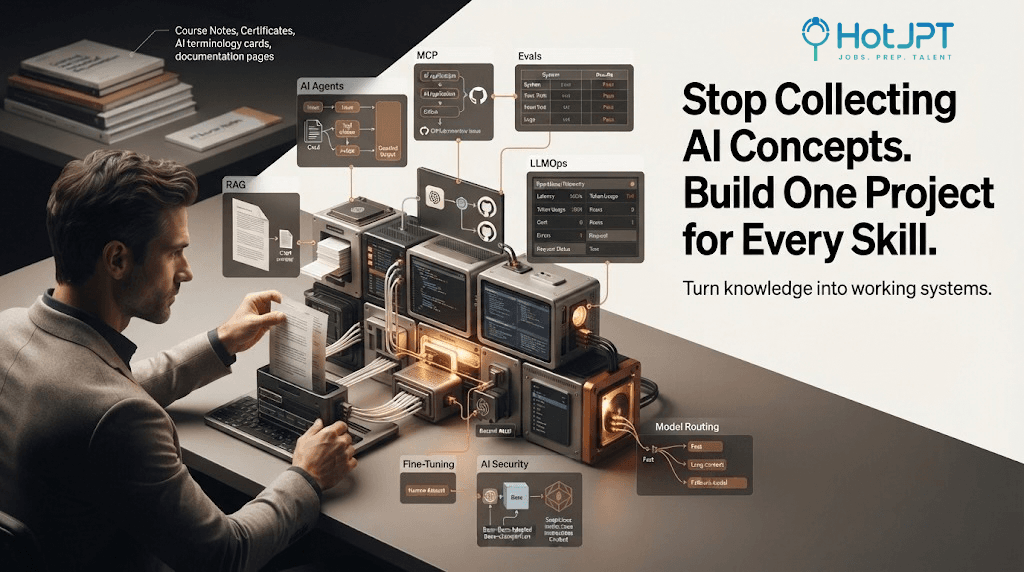
You can finish ten AI courses and still struggle to build a useful AI application.
That gap matters more than another certificate. For developers moving into AI, progress should not be measured by concepts completed. It should be measured by systems you can build, test, debug, and explain.
Problem: Learning AI terminology can create knowledge without practical ability.
Framework: One Skill → One Project.
Payoff: Every concept you learn becomes something you can demonstrate, improve, and add to your portfolio.
The Framework at a Glance
| AI Skill | Build This | What You Actually Learn |
|---|---|---|
| RAG | Cited research assistant | Retrieval, chunking, grounding |
| AI Agents | Support resolution agent | Tools, workflows, state, guardrails |
| MCP | GitHub issues MCP server | Tool connectivity & structured context |
| Evals | LLM regression suite | Quality measurement |
| LLMOps | AI observability dashboard | Logs, latency, cost, failures |
| Fine-Tuning | Domain-specific small model | Data prep & adaptation |
| AI Security | Prompt injection firewall | Input risks & controls |
| Model Routing | Cost-aware AI gateway | Selection, cost, speed |
1. Learn RAG by Building a Cited Research Assistant
Reading about embeddings and vector databases can make RAG sound simple.
Real learning starts when your assistant retrieves the wrong document or answers without evidence.
Build a research assistant that accepts documents, retrieves sections, answers questions, and shows citations.
Runnable starter checklist:
Upload documents → Split into chunks → Create embeddings → Store them → Retrieve top-k → Generate answer → Show sources
Minimal repo template: Use any vector DB. For chunking, start with 500 tokens with 50 overlap. Log retrieved chunks for debugging.
Your project is finished when you can explain why that answer used those sources.
2. Learn AI Agents by Building a Support Resolution Agent
An agent is easier to understand when it has a real job.
Build a support agent that receives an issue, checks account info, inspects payment status, searches docs, and recommends the next action.
Ready-to-use Agent Design Template:
Goal: What should the agent accomplish?
Inputs: What information does it receive?
Tools: What systems can it access?
Decision: How does it choose next action?
Guardrails: What should it never do automatically?
Output: What counts as successful completion?
If you cannot define those six pieces, the agent needs more design work.
3. Learn MCP by Connecting AI to GitHub
You can read the Model Context Protocol documentation and understand its purpose. The spec is open at modelcontextprotocol.io and reference implementation is on GitHub - modelcontextprotocol.
A better test is connecting something real. Build an MCP server that fetches GitHub issues.
First MCP project flow:
User: "Show me open bugs" → AI → MCP Server → GitHub Issues API → Issue Data → AI Response
Do not build twenty tools first. Make one tool reliable. Start with list_open_issues then add get_issue_details.
4. Learn Evals by Building an LLM Regression Suite
One big mistake is changing a prompt and assuming it improved.
Create 20-50 questions with expected behavior. Run them on every prompt or model change.
Simple evaluation checklist:
[ ] Did answer accuracy improve?
[ ] Did hallucinations increase?
[ ] Did formatting break?
[ ] Did latency change?
[ ] Did cost increase?
[ ] Did previously correct answers fail?
Tools you can use: LangSmith, Braintrust, or a simple JSON file with expected outputs.
Ask: "Can I measure whether the system became better?" Not "Does this look better?"
5. Learn LLMOps by Building an Observability Dashboard
An AI feature working on your laptop is only the beginning.
Build a dashboard that records requests, models used, latency, tokens, cost, errors, and user feedback.
Start with these fields:
Request ID | Model | Input tokens | Output tokens | Latency | Cost | Status | Error | Timestamp
A useful AI engineer can answer: What happened? And why did it happen?
6. Learn Fine-Tuning with One Narrow Domain
Do not start fine-tuning because it sounds advanced.
Choose a small model and a narrow domain. Prepare examples showing desired behavior. Compare base vs fine-tuned.
Before fine-tuning, ask:
- Can prompting solve this?
- Can RAG solve this?
- Do I have enough good examples?
- Is the behavior consistent?
- Can I evaluate improvement?
If unclear, do not fine-tune yet.
7. Learn AI Security by Building a Prompt Injection Firewall
Once AI systems access tools and private data, security is part of architecture.
Build a layer that checks suspicious instructions before they reach sensitive tools. Test with injection attempts from OWASP Top 10 for LLM.
Security checklist:
[ ] Separate trusted and untrusted input
[ ] Restrict tool permissions
[ ] Validate tool arguments
[ ] Detect suspicious instructions
[ ] Protect system instructions
[ ] Log sensitive actions
The model is one component inside the security boundary, not the boundary itself.
8. Learn Model Routing by Building an AI Gateway
Using the strongest model for every request is wasteful. Using the cheapest for everything hurts quality.
Build a gateway: Simple → Fast model, Complex reasoning → Strong model, Long doc → Long-context model, Model down → Fallback.
Later, fixed rules can become learned routing. The lesson: Model should be replaceable infrastructure, not the entire architecture.
HotJPT Take
The AI learning race is creating an unusual problem. People can explain advanced terms while having fewer systems they have personally built.
A working project creates evidence. It shows how you think when retrieval fails, agents choose the wrong tool, evaluations regress, or costs spike.
That is harder to learn from a course slide. The goal should not be to know the most terminology. It should be to turn concepts into working systems.
Save This: The One Skill → One Project Roadmap [Visual Asset]
[Screenshot this table - Dark mode card]
| SKILL | PROJECT | LOOP |
|---|---|---|
| RAG | Cited Research Assistant | Learn → Build → Break → Measure |
| Agents | Support Resolution Agent | Tools + Decision + Guardrails |
| MCP | GitHub Issues Server | 1 tool reliable first |
| Evals | LLM Regression Suite | 20-50 tests, run on every change |
| LLMOps | Observability Dashboard | Log cost, latency, errors |
| Fine-Tuning | Domain Small Model | Prompt? RAG? Then fine-tune |
| Security | Prompt Injection Firewall | Trust boundary around model |
| Routing | Cost-Aware Gateway | Fast / Strong / Fallback |
Learning Loop: 1. Learn concept 2. Build small 3. Break it 4. Debug 5. Measure 6. Explain
Shareable Takeaway
You haven't finished learning an AI concept when you understand its definition. You've finished when you can build it, test it, and explain it.
Sources:
- Model Context Protocol Spec: https://modelcontextprotocol.io/
- MCP Documentation: https://modelcontextprotocol.io/docs/getting-started/intro
- GitHub REST API for Issues: https://docs.github.com/en/rest/issues
- OWASP Top 10 for LLM Applications: https://owasp.org/www-project-top-10-for-large-language-model-applications/
The HotJPT editorial team covers AI, US immigration, IT job market trends, and staffing intelligence for recruiters, bench sales marketers, and IT consultants.