Claude Is More Than a Chatbot: The AI Skill Shift From Prompting to Building
Claude is no longer just a chatbot for getting better answers. It can work across files, connected services, multi-step tasks and software projects.
For students and tech professionals, the bigger opportunity is shifting from simply prompting AI to actually building with it.
The old model: You ask → AI answers.
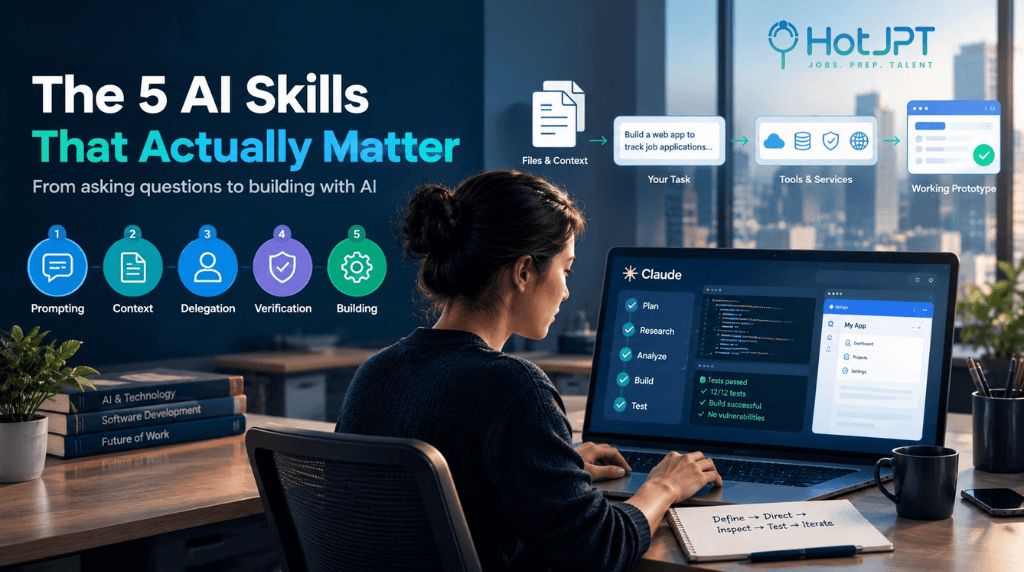
The new model: You define the outcome → provide context → AI works → you verify → you iterate.
The valuable AI skill isn't just writing better prompts. It's knowing what to delegate, what to verify, and what to build.
From asking AI questions to giving AI a job
Most people use Claude for things like emails, summaries, brainstorming and questions.
Those are useful, but they're only one part of what modern AI can do.
Claude's current capabilities support longer-running tasks, connected services, skills, plugins and computer-based workflows.
That means instead of asking:
"How should I organize these files?"
you can give Claude the files and ask it to organize them.
Instead of:
"How should I prepare this report?"
you can provide the source material and ask Claude to analyze it and create the report.
The shift is from getting an answer to delegating useful work.
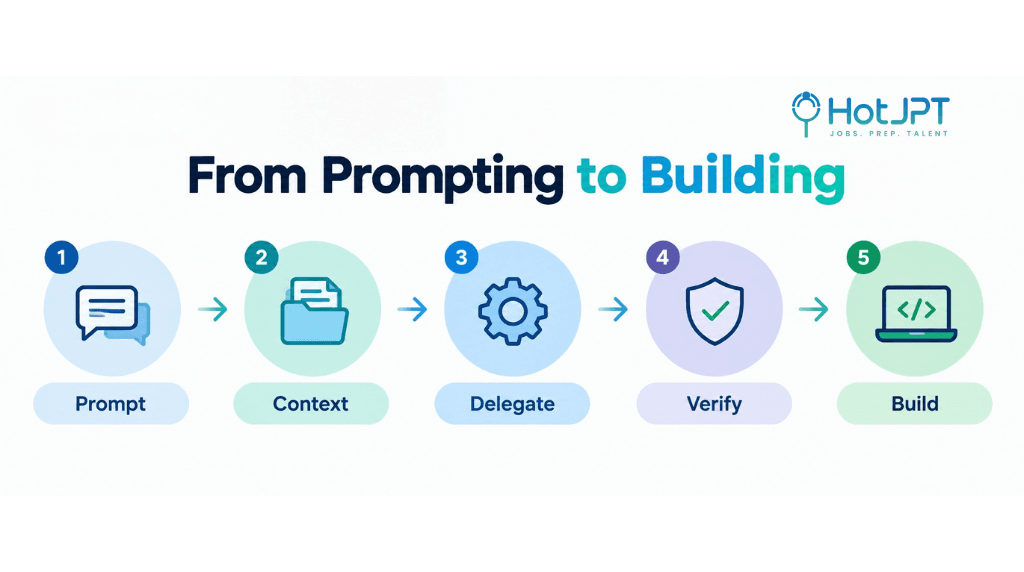
The 5 skills that matter
| Skill | What it means |
|---|---|
| Prompting | Communicate clearly |
| Context | Give AI the right information |
| Delegation | Define the outcome |
| Verification | Check the result |
| Building | Turn it into a repeatable workflow |
Prompting is still important.
But it's only the starting point.
The bigger advantage comes from knowing how to combine these skills into an actual workflow.
Claude Code: Where AI starts building
Claude Code takes this idea into software development.
It can work across a project to inspect files, modify code, run commands, debug problems and iterate through development tasks.
The workflow becomes:
Define → Direct → Inspect → Test → Iterate
This also lowers the barrier to creating software.
You can describe an application in natural language and use AI to help turn the idea into a working prototype.
But that doesn't make software engineering knowledge obsolete.
Security, architecture, databases, APIs, testing and reliability still require technical understanding and human judgment.
AI can accelerate implementation. It doesn't automatically make the result correct.
Why this matters for students and tech professionals
The World Economic Forum's Future of Jobs Report 2025 identifies AI and big data, networks and cybersecurity, and technological literacy among the fastest-growing technology skills through 2030.
PwC's 2026 AI Jobs Barometer also found that jobs requiring specific AI skills were growing faster than the overall jobs market.
The takeaway isn't that everyone needs to become an AI engineer.
It's that AI is becoming part of how people perform existing jobs.
So instead of using AI as a shortcut around learning, use it to accelerate learning:
Learn → Build → Break → Debug → Understand → Rebuild
Save This: The AI Builder Checklist
Before giving AI a serious task, ask:
1. Outcome — What exactly do I want finished?
2. Context — What information does AI need?
3. Constraints — What rules must it follow?
4. Verification — How will I know it's correct?
5. Iteration — What should improve next time?
That's the difference between using AI and building a workflow with AI.
Three Videos to Start
Want to learn this yourself? Start with these three videos from our Reel:
1. Andrej Karpathy — Software Is Changing (Again)
~49 minutes
The bigger picture behind AI-assisted software development and natural-language programming.
2. Claude Cowork — From Beginner to Expert
~18 minutes
A practical introduction to using Claude for multi-step knowledge-work workflows.
3. Claude Code for Beginners
~40 minutes
A beginner-friendly walkthrough of building a website with Claude Code.
Total: ~1 hour 47 minutes.
The HotJPT Take
The shift isn't prompting vs. no prompting.
Prompting is still useful.
The bigger shift is from AI as an answer machine to AI as part of a workflow.
The next AI skill isn't just knowing what to ask.
It's knowing what to delegate, what to verify, and what to build.
Follow HotJPT Pulse for research-backed coverage of how AI is changing technology, skills, workflows and hiring.
Frequently Asked Questions
What is Claude Cowork?
Claude Cowork is designed to help users delegate multi-step knowledge-work tasks to Claude, including working with files, connected services and other tools.
What is Claude Code used for?
Claude Code is an AI coding tool that can work across software projects to inspect files, modify code, run commands, debug issues and help developers iterate on applications.
Is prompting still an important AI skill?
Yes. Prompting remains useful, but effective AI work increasingly involves providing context, defining outcomes, delegating tasks, verifying results and building repeatable workflows.
Do students need to learn coding if AI can build software?
AI can lower the barrier to creating prototypes, but understanding software concepts such as architecture, security, APIs, databases and testing remains important for building reliable applications.
The HotJPT editorial team covers AI, US immigration, IT job market trends, and staffing intelligence for recruiters, bench sales marketers, and IT consultants.